Quickstart
Build a custom agent in the Cloud console and run a natural-language query against your service.
Prerequisites
- A ClickHouse Cloud service you can query.
- The Create agent option in the Agent Builder. If it's missing, ask an org admin to grant agent creation via Admin Settings as detailed in sharing and access.
Build the agent
Launch ClickHouse Agents
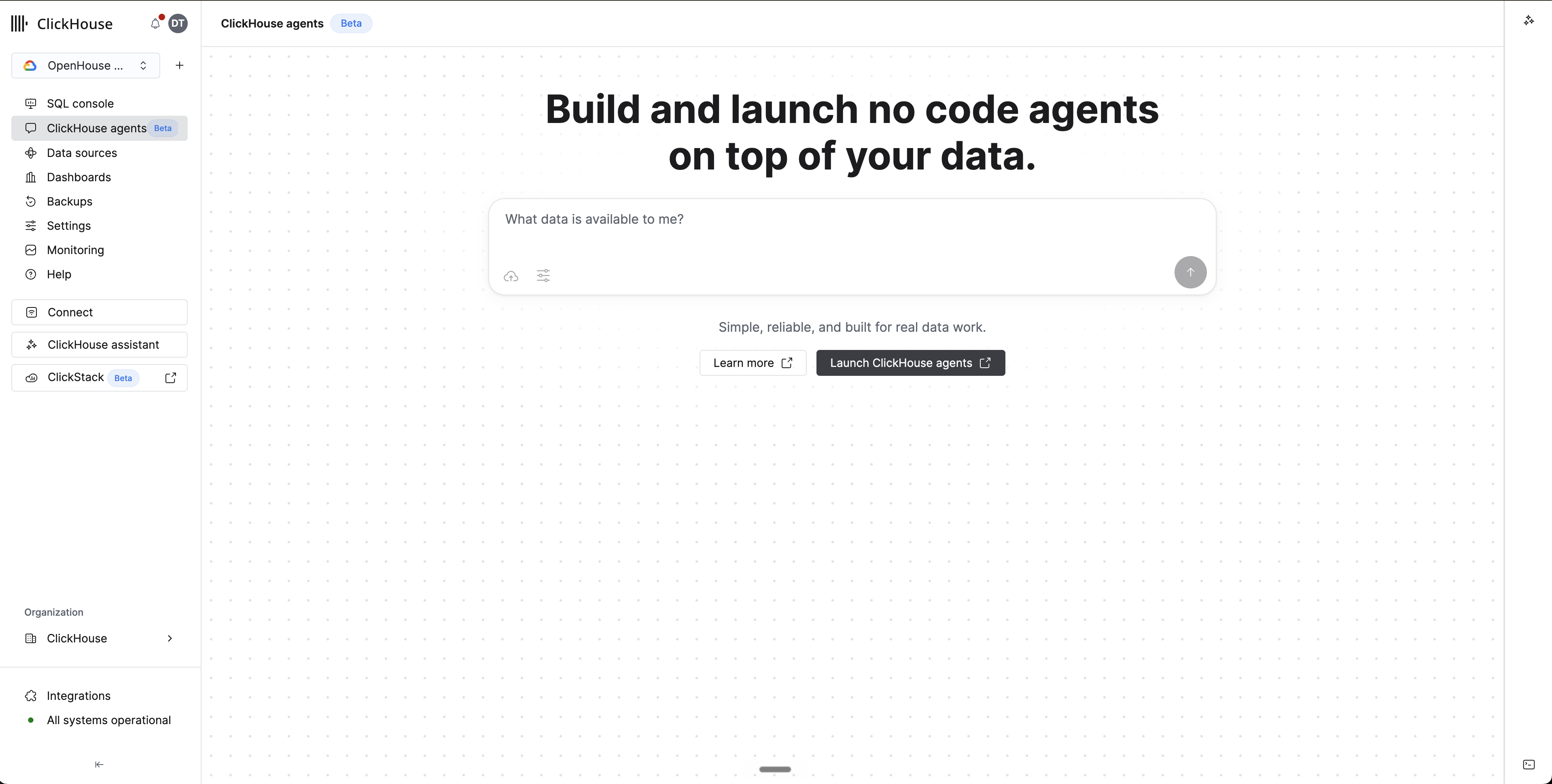
From your Cloud service, click ClickHouse agents in the left sidebar to open the agents launchpad. Click Launch ClickHouse agents to open the Agent Builder.
Create the agent
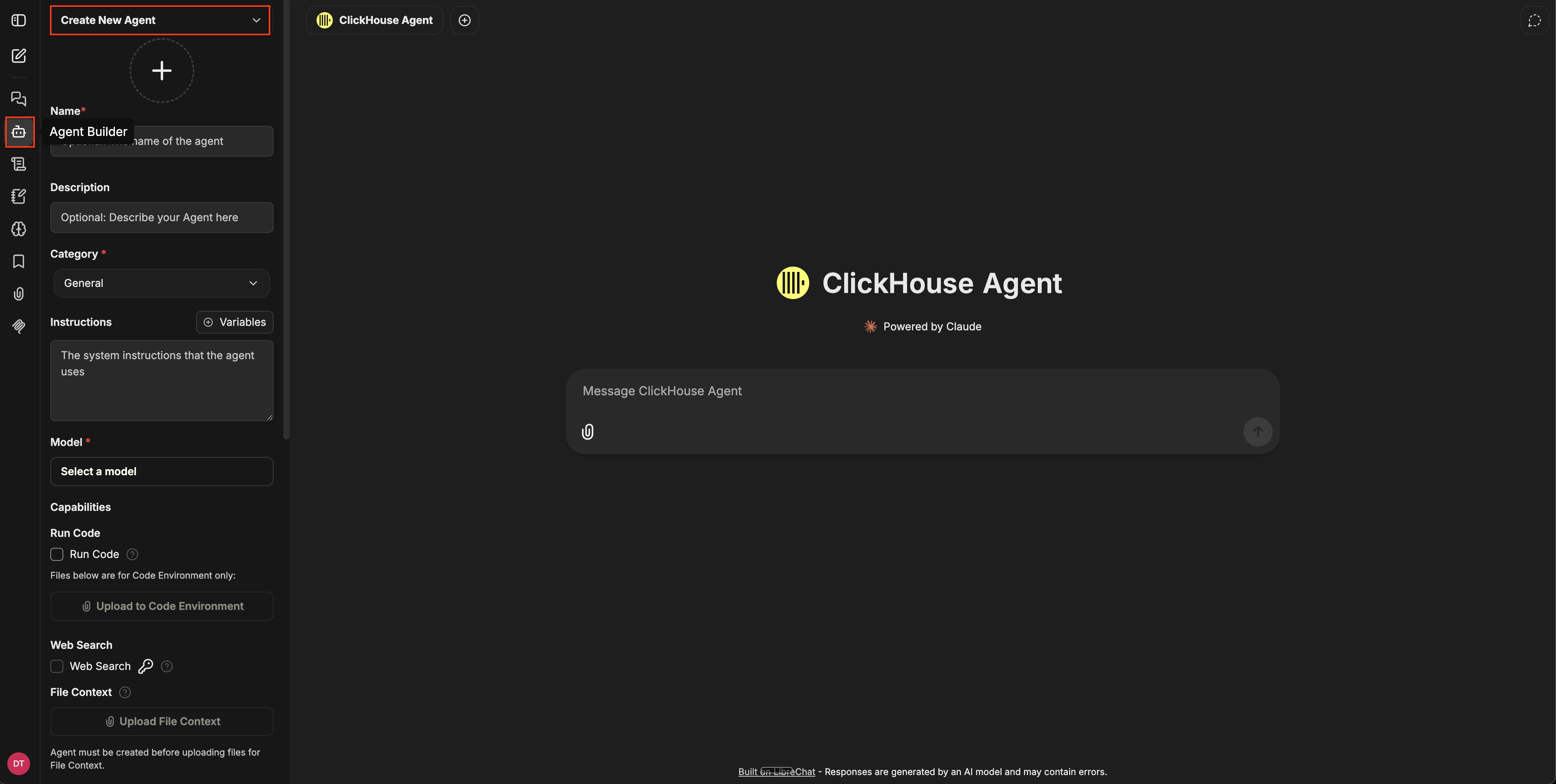
In the Agent Builder, click Create New Agent at the top of the left panel. Fill in the core fields:
- Name - a short identifier for your agent.
- Description - a description of what the agent is for, which will be visible to teammates.
- Category - a category for your agent. You can leave this as
Generalunless your org has custom categories. - Instructions - the system prompt, which describe the agent's role, the questions it should answer, and any business rules it must follow.
- Model - pick a model from the dropdown.
Attach capabilities and tools
The agent's capabilities and tools live in two places.
Capabilities in the main panel — first-party features like Run Code, Web Search, File Context, Artifacts, MCP Servers, and Skills. Toggle the ones the agent needs.
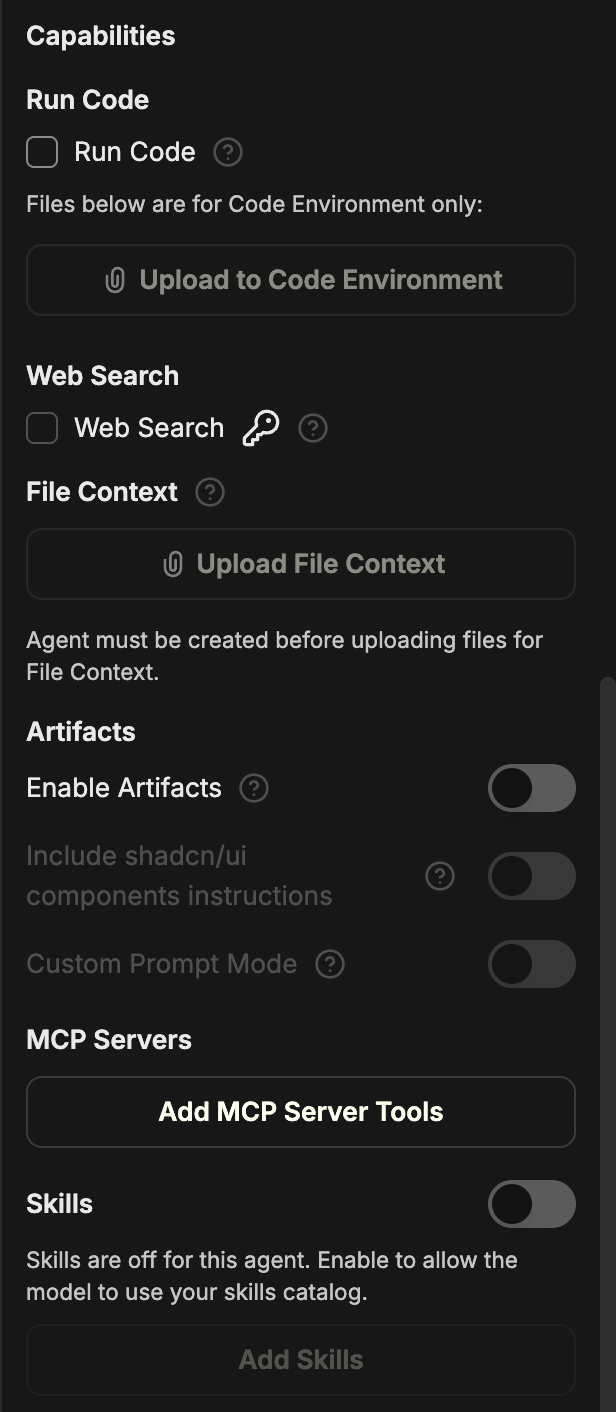
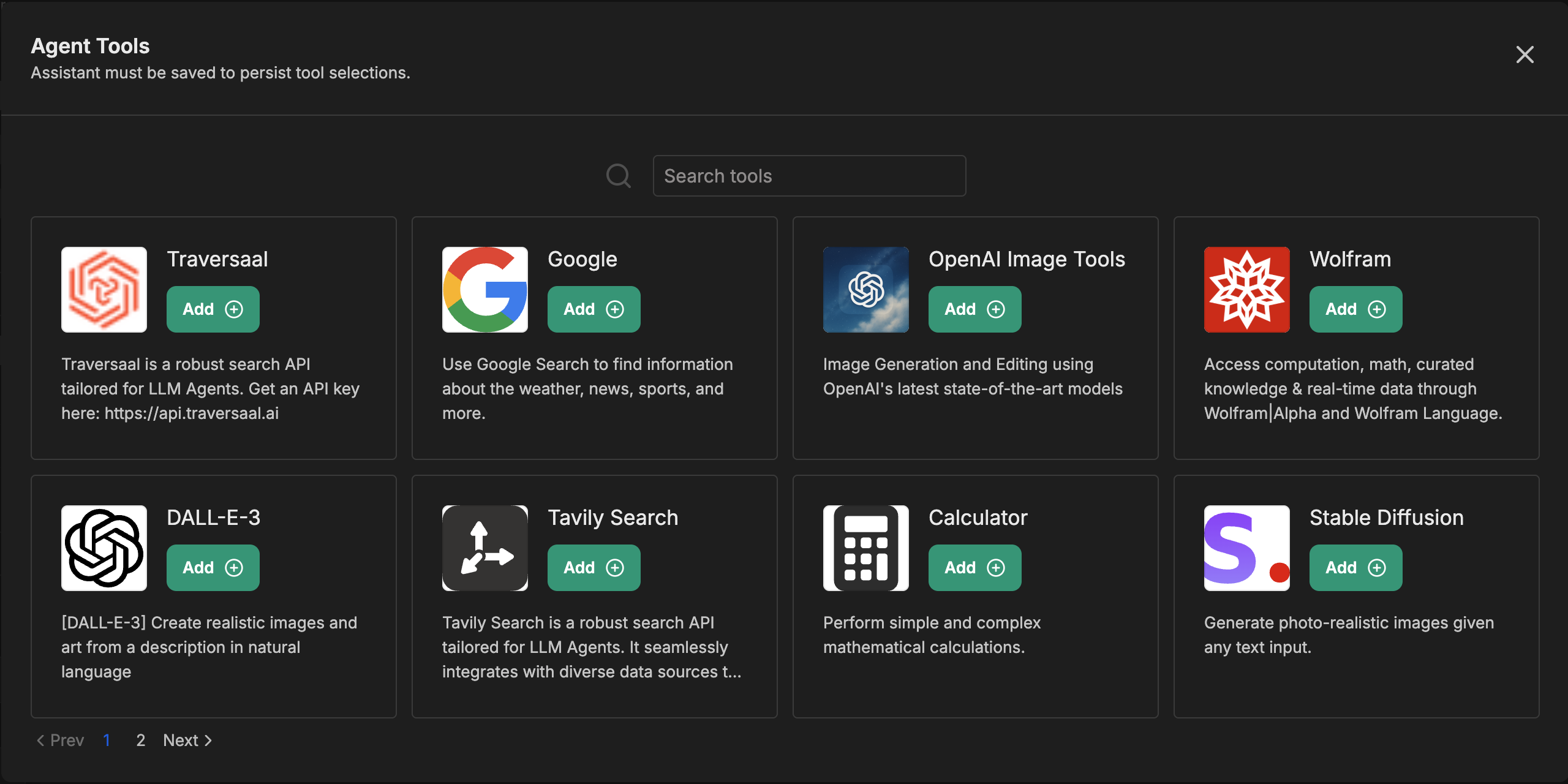
Tools behind the Add Tools button at the bottom of the panel — third-party integrations like image generation, vision, search APIs, and external services.
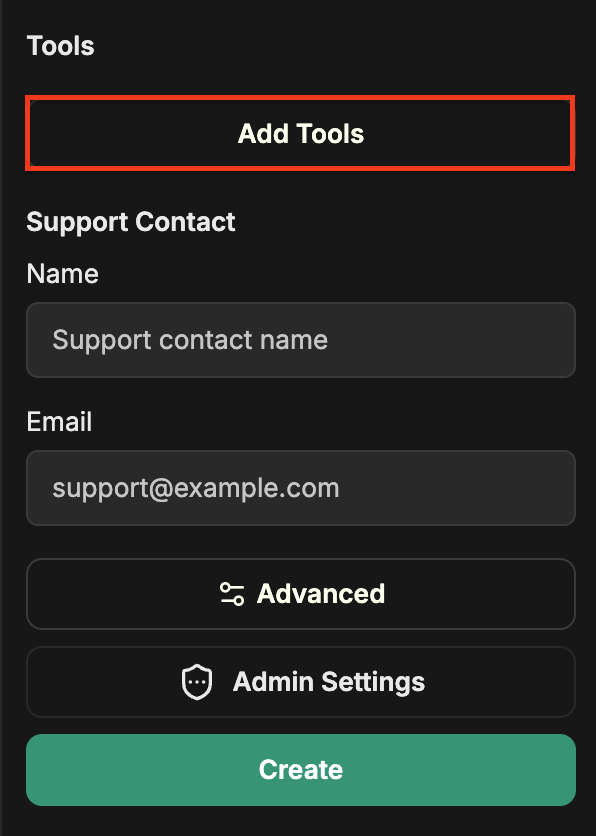
Click Add Tools to browse the catalog:
Subagents are configured under Advanced settings — see the subagents page for details.
You can change attached capabilities and tools any time.
Run a query
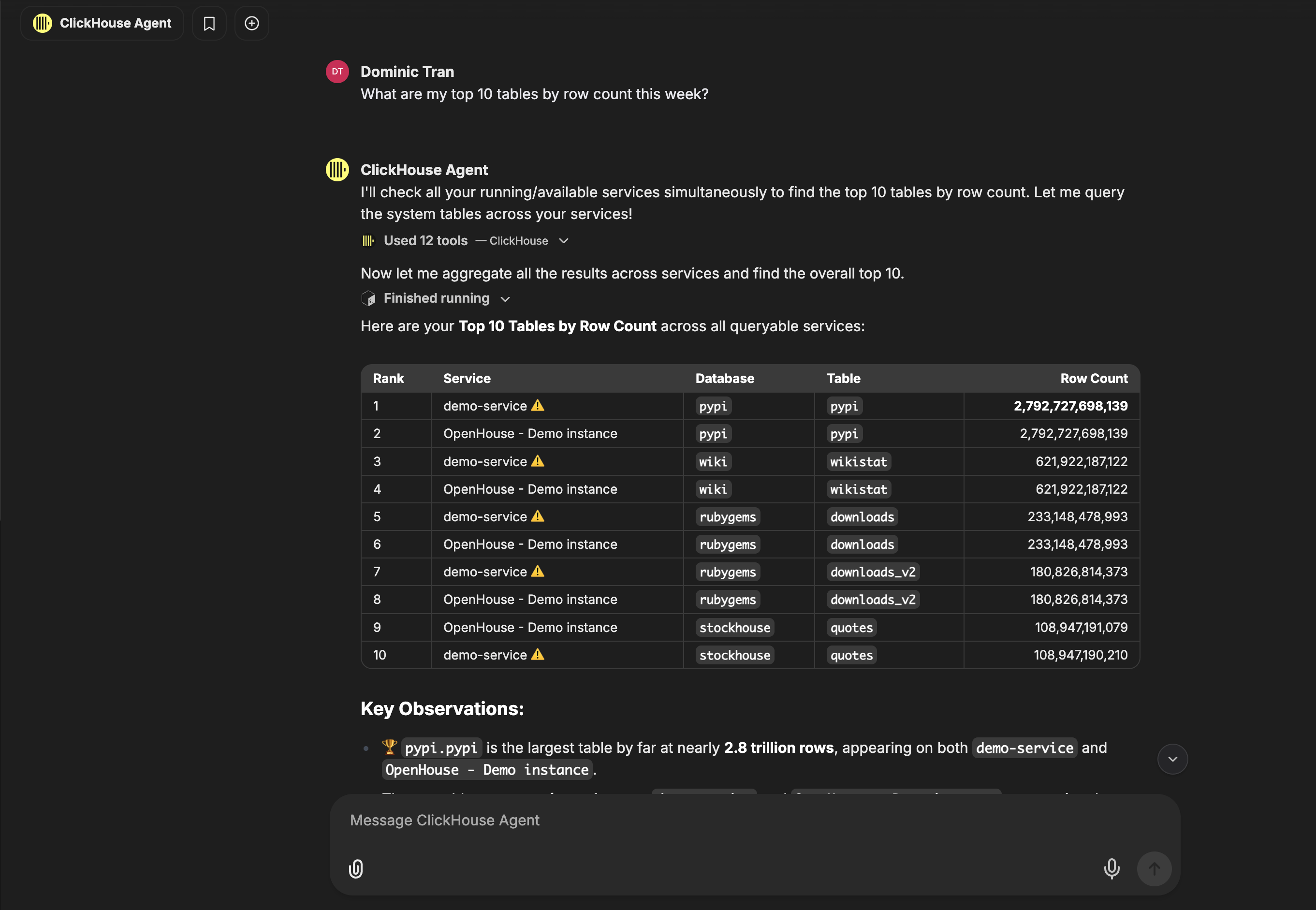
Save the agent, open a new conversation, and select your agent from the agent picker. Type a question — for example, "What are my top 10 tables by row count this week?" — and the agent plans, calls tools as needed, and returns an answer.
Next steps
- Share the agent with teammates.
- Publish to the marketplace once the agent is stable.
